Work Where You Already Are: How CloudStreet Connects Salesforce to Microsoft Teams
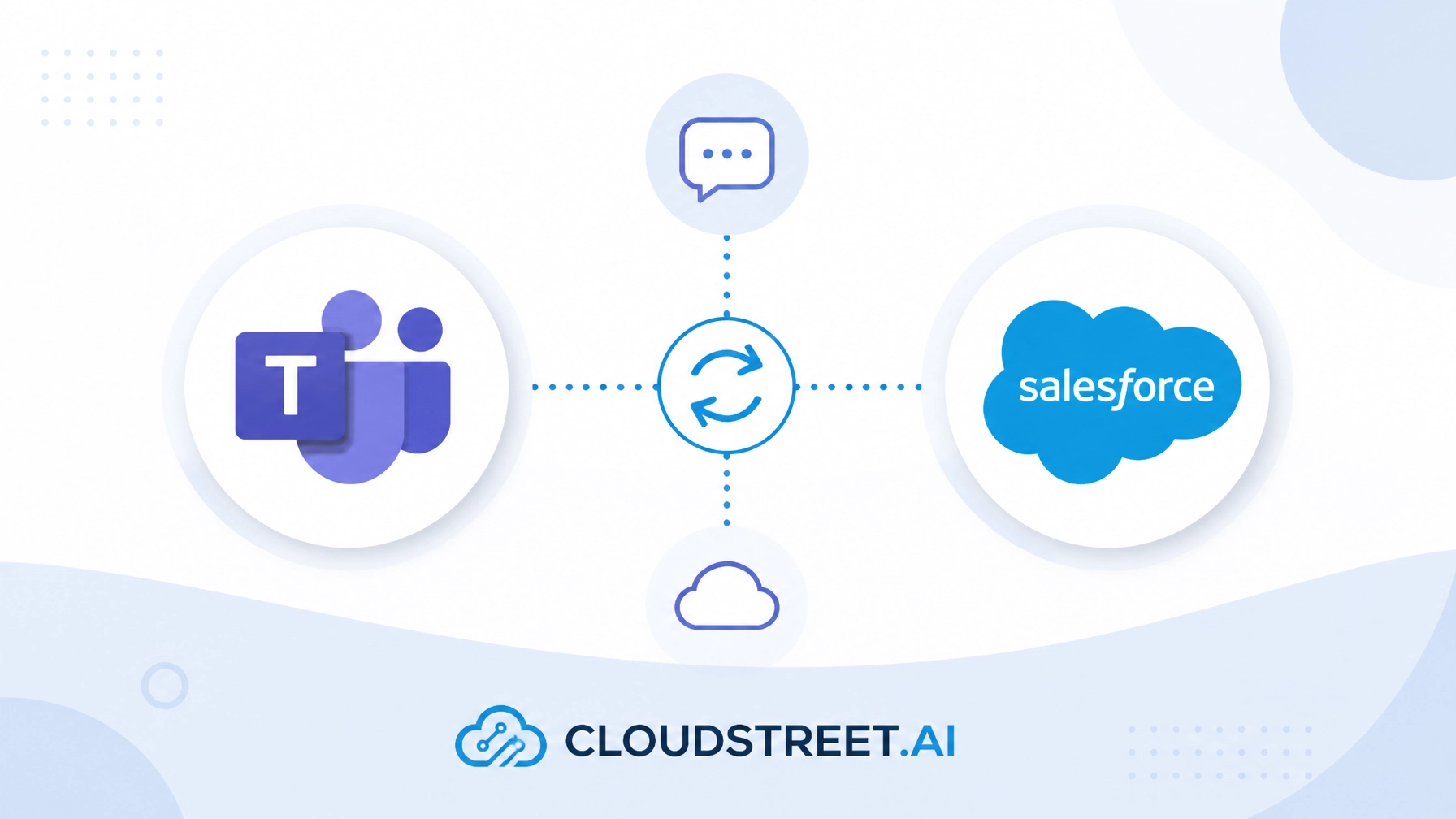
For enterprise sales, service, and operations teams, Microsoft Teams is where the workday actually happens. From morning stand-ups and project kickoffs to ad-hoc strategy chats and client check-ins, your team lives inside Teams. But for years, keeping that collaboration aligned with your CRM has meant constant context-switching.
Reps jump back and forth between Microsoft Teams and Salesforce, copying account notes, hunting down opportunity IDs, and updating pipeline stages in separate windows. Every time a team member leaves their collaboration hub to update Salesforce, momentum dips, productivity drops, and CRM data hygiene suffers.
At CloudStreet, headquartered in Houston, Texas, we help local and global organizations solve this exact friction. Through our specialized Salesforce consulting and implementation services, we connect Salesforce directly to Microsoft Teams, embedding customer data and CRM actions straight into the natural flow of your team’s everyday work.
Why Context Switching Kills Salesforce Adoption and Team Productivity
When your team has to manually bridge the gap between their collaboration platform and their system of record, several operational bottlenecks emerge. Understanding these hurdles highlights why embedding CRM into Teams is no longer a luxury: it is a competitive necessity.
- Information Silos: Conversations about high-stakes accounts happen in Teams channels, while the institutional knowledge lives in Salesforce, leaving teammates who lack CRM access in the dark.
- Administrative Fatigue: Forcing reps to jump between screens just to log meeting notes or update a deal stage creates heavy friction, leading to delayed updates and stale pipeline data.
- Delayed Response Times: When customer inquiries arrive, searching across disconnected platforms slows down internal coordination, directly impacting client satisfaction.
- Resistant CRM Adoption: If Salesforce feels like an administrative chore rather than a helpful tool, user engagement plummets, starving leadership of accurate forecasting data.
By eliminating these barriers, businesses can unlock entirely new levels of efficiency. If you are looking to revitalize your internal processes, explore our core Salesforce Services to see how we align technology with your operational goals.

5 Powerful Ways CloudStreet Integrates Salesforce Inside Microsoft Teams
Our approach goes far beyond deploying a simple notification bot. We architect robust, bi-directional integrations that weave Salesforce capabilities right into your daily collaboration workflows across any Salesforce cloud: whether you rely on Sales Cloud, Service Cloud, or Commerce Cloud.
Here are 5 core capabilities we configure for our clients:
- Pin Records and Dashboards as Tabs: Add critical Salesforce accounts, opportunities, or active service cases directly as tabs in Teams channels, chats, and meetings so everyone shares identical context instantly.
- Inline Record Editing: Update key fields: such as deal stages, priority levels, or next steps: directly inside Teams conversations without ever launching a separate browser tab for Salesforce.
- Smart Record Mentions and Previews: Use
@-mentionsyntax in any chat to pull up and preview live Salesforce records, ensuring all participants discuss verified, up-to-date customer data. - Automated Real-Time Channel Alerts: Route high-priority triggers: like new lead assignments, SLA escalations, deal stage closures, or approval requests: straight into targeted Teams channels.
- Streamlined Meeting and Activity Logging: Link Microsoft Teams meetings and calls directly to Salesforce records, automatically logging engagement and capturing meeting outcomes back into the CRM.
Ready to see how these integrations can transform your organization’s daily output? Schedule a Call with our engineering team today.
Beyond Collaboration: Intelligent Automation in Teams
Connecting your communication hub to your CRM is a massive step forward, but combining it with intelligent automation supercharges your return on investment. Modern teams no longer want to perform routine data entry manually; they expect intelligent systems to anticipate their next move.
At CloudStreet, we integrate advanced AI capabilities into your connected ecosystem. Whether you want AI copilots to summarize long chat threads into Salesforce notes or predictive alerts that suggest the next best action during a live customer discussion, we help you leverage cutting-edge tech. To learn more about our forward-thinking methodology, check out our insights on Salesforce Artificial Intelligence.

The 4-Step CloudStreet Implementation Methodology
Every enterprise organization operates on a unique set of workflows, security requirements, and business logic. A generic out-of-the-box plugin rarely addresses the nuanced needs of mid-market and enterprise businesses. That is why CloudStreet deploys a consultative, four-step methodology to ensure seamless adoption.
Here are the 4 phases of our proven deployment process:
- Workflow Discovery and Assessment: We analyze your existing Salesforce setup and Microsoft Teams usage to identify high-impact integration points and data security parameters.
- Custom Architecture and Configuration: We design and build the bi-directional connection, configuring custom objects, field-mapping rules, and automated notification triggers tailored to your teams.
- User Enablement and Training: We conduct targeted training sessions for administrators and end-users, establishing best practices so your staff embraces the new workflow from day one.
- Ongoing Optimization and Support: Post-launch, we monitor system performance, refine automation rules, and ensure your integration scales smoothly as your business grows.
Whether you operate right here in Houston, Texas, or manage distributed teams across international markets, our consultative approach guarantees maximum adoption and measurable ROI.

Turn Your Collaboration Hub into a Revenue Engine
When your team can access, update, and act upon Salesforce records without ever leaving Microsoft Teams, everything changes. Administrative overhead shrinks, data accuracy improves, and your employees actually enjoy interacting with your CRM because it meets them where they already work.
Don’t let platform fragmentation slow down your growth. Let CloudStreet turn your collaboration hub into a centralized engine for productivity and revenue.
Take the first step toward effortless CRM integration:
- Schedule a Call to discuss your workflow challenges with our solution architects.
- Get a Quote tailored to your specific Salesforce edition and team size.
- Contact Our Team right now to start building a smarter, more connected workplace.
Category
Discover insights that drive results - explore out latest blog posts now
DealHub Salesforce Integration for Manufacturers: Connecting CPQ, Contracts, and CRM
About the manufacturer: mid-market industrial equipment company A U.S.-based, mid-market [...]
Salesforce Data 360 and Agentforce: Why Grounding Is What Makes AI Agents Dependable
An AI agent can produce a fluent answer and still [...]
Salesforce Data 360 Governance and Informatica: Managing Data Quality, Access, and Trust in the Agentic Era
Data governance becomes more consequential when business data does more [...]