
Supercharge Your Salesforce: The Power of S-Docs Native Documents
In today’s fast-paced business environment, document generation can be a major bottleneck. Sales teams spend countless hours creating proposals, contracts spend days in approval cycles, and compliance teams struggle with version control. What if you could eliminate these friction points entirely while keeping everything within your existing Salesforce ecosystem?
Enter S-Docs: a 100% native Salesforce document generation solution that’s transforming how organizations create, manage, and distribute business documents. Unlike third-party tools that require data transfers and additional security considerations, S-Docs operates entirely within your Salesforce environment, delivering speed, security, and seamless integration.
At Cloudstreet, based in Houston, Texas, we’ve helped mid-market and enterprise clients across the globe implement S-Docs solutions that have revolutionized their document workflows. Here’s everything you need to know about leveraging this powerful native tool.
What Makes S-Docs Different: 5 Core Advantages
1. True Native Integration
S-Docs isn’t just another Salesforce app: it’s built entirely on the Salesforce platform. This means no data leaves your Salesforce org during document generation. Every template, merge field, and generated document stays within your secure Salesforce environment, maintaining your existing security protocols and compliance standards.
2. Zero Learning Curve for Users
Because S-Docs operates within familiar Salesforce interfaces, your team doesn’t need extensive training. Users can generate documents directly from record pages, list views, or through automated workflows they already understand.
3. Instant Document Generation
Pull data from any Salesforce object: standard or custom: to create professional documents in seconds. Whether it’s a complex proposal drawing from Opportunities, Accounts, and Product data, or a simple agreement template, S-Docs eliminates the manual copy-paste cycle entirely.
4. Advanced Automation Capabilities
Beyond basic merge fields, S-Docs supports conditional logic, SOQL queries, batch processing, and workflow integration. You can set up sophisticated document generation rules that trigger automatically based on record changes or user actions.
5. Complete Audit Trail
Every generated document is stored against relevant Salesforce records, creating an automatic audit trail. This is particularly valuable for compliance-heavy industries where document history and traceability are critical.

Real-World Applications: 6 Industries Seeing Major Impact
Financial Services
Banks and financial institutions use S-Docs to generate loan documents, account agreements, and regulatory reports while maintaining strict data governance. The native approach ensures sensitive financial data never leaves the Salesforce environment.
Healthcare
Healthcare organizations leverage S-Docs for patient agreements, treatment plans, and compliance documentation. With HIPAA requirements, the ability to keep all data within Salesforce’s secure environment is non-negotiable.
Technology Companies
Tech companies use S-Docs for proposal generation, service agreements, and technical documentation. The ability to pull real-time data from multiple objects means proposals always reflect current pricing and product configurations.
Manufacturing
Manufacturers create quotes, work orders, and shipping documents that automatically populate with inventory levels, pricing, and customer specifications from their Salesforce data.
Professional Services
Consulting firms and agencies use S-Docs to generate statements of work, project reports, and client communications that pull from project management data stored in Salesforce.
Real Estate
Real estate professionals create listing agreements, purchase contracts, and property reports that automatically include relevant property details, client information, and market data.
Implementation Strategy: 4 Steps to Success
Step 1: Template Planning
Before diving into S-Docs, audit your current document landscape. Identify which documents are generated most frequently, which require the most manual effort, and which are most critical to your business processes. This analysis helps prioritize your S-Docs implementation.
Step 2: Data Mapping
Map your document requirements to Salesforce data structure. S-Docs can pull from any field in your org, including cross-object relationships, but understanding these connections upfront streamlines template creation.
Step 3: Template Creation
S-Docs offers two primary template creation methods: the built-in WYSIWYG editor for straightforward documents, and template import for complex layouts created in external tools. Most organizations benefit from a hybrid approach.
Step 4: Workflow Integration
The real power of S-Docs emerges when document generation becomes part of your automated workflows. Set up rules to automatically generate and distribute documents based on record changes, approval processes, or scheduled tasks.
ROI Analysis: Measuring S-Docs Impact
Organizations implementing S-Docs typically see measurable returns within the first quarter. Here’s how to calculate potential impact:
Time Savings: If your sales team spends 2 hours per week on manual document creation, S-Docs can reduce this to minutes. For a 10-person sales team, that’s 20 hours weekly: over 1,000 hours annually.
Accuracy Improvements: Manual document creation introduces errors. S-Docs eliminates transcription mistakes by pulling data directly from Salesforce records, reducing revision cycles and client confusion.
Faster Deal Cycles: When prospects receive professional, accurate documents within minutes of a meeting, deal velocity increases. Many clients report 15-20% faster deal closure after implementing S-Docs.
Compliance Cost Reduction: For regulated industries, S-Docs’ native audit trail and data security reduce compliance overhead compared to external document generation tools.
Advanced Features for Power Users
S-Docs includes sophisticated capabilities that scale with your needs:
Conditional Logic: Display different content based on record values or user permissions. Create dynamic templates that adapt to specific scenarios without maintaining multiple versions.
SOQL Support: Use Salesforce’s query language to create complex data relationships within documents. Pull related records, perform calculations, and create detailed reports.
Batch Processing: Generate hundreds or thousands of documents simultaneously, perfect for mass communications or periodic reporting requirements.
Multi-Language Support: Create templates in different languages with automatic field translation, essential for global organizations.
Integration Ecosystem
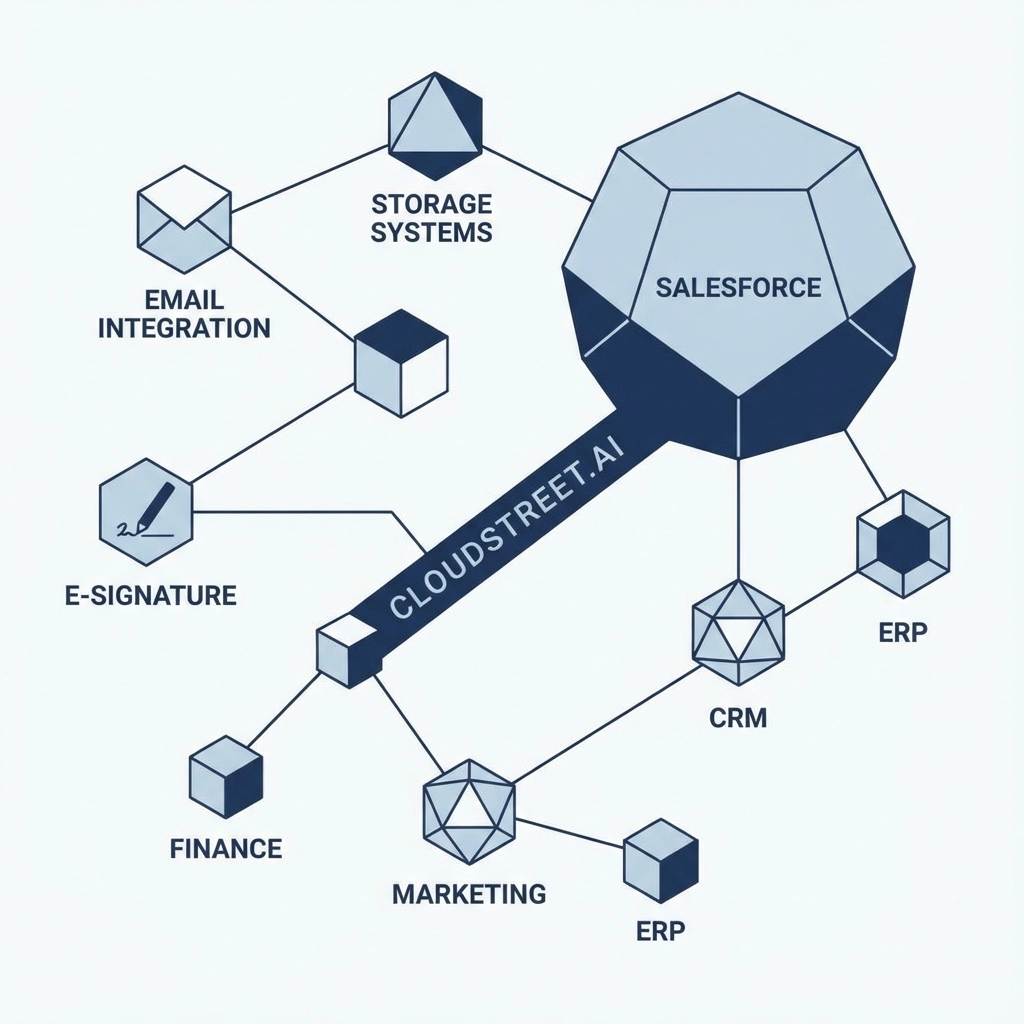
While S-Docs is 100% native to Salesforce, it integrates seamlessly with external systems when needed:
- E-signature platforms for automatic document routing
- Document storage solutions like Google Drive or SharePoint
- Email marketing platforms for template distribution
- ERP systems for pricing and inventory data synchronization
Getting Started: Best Practices
Start with high-impact, low-complexity documents. Simple agreements or standard proposals make excellent pilot projects. Once you’ve proven value and refined your approach, expand to more complex document types.
Involve end users early in the template design process. The people who will use S-Docs daily have valuable insights into document requirements and workflow preferences.
Plan for governance from the beginning. Establish template ownership, approval processes, and version control practices before you have dozens of templates to manage.
The Future of Document Generation
S-Docs represents the evolution toward truly integrated business processes. Instead of treating document generation as a separate task requiring external tools and manual data entry, organizations can embed professional document creation directly into their CRM workflows.
This integration becomes even more powerful when combined with other native Salesforce capabilities. Our recent analysis of Salesforce Winter 2025 features shows how platform innovations continue to enhance these native integrations.
At Cloudstreet, we’ve seen firsthand how S-Docs transforms operations for our clients from Houston to Hong Kong. The combination of native integration, powerful automation, and user-friendly interfaces creates a document generation solution that scales with your business growth.
Ready to eliminate document generation bottlenecks and supercharge your Salesforce implementation? Connect with our team to explore how S-Docs can transform your organization’s document workflows.
Category
Discover insights that drive results - explore out latest blog posts now

Case Study: How Highland Cabinetry Colorado Built a Modern Wholesale Powerhouse on Salesforce B2B Commerce Cloud
In the world of high-end cabinetry, timing is everything. When [...]

Agentforce ROI: 7 Ways to Maximize Your Salesforce AI Investment
You've heard the buzz. Salesforce Agentforce is supposed to revolutionize [...]

Salesforce B2B Commerce Cloud Partner & Consultant Guide
You're about to drop serious money on a Salesforce B2B [...]
