Salesforce for Sales Leaders: How to Boost Pipeline Without the Admin Headache
Category: Blog
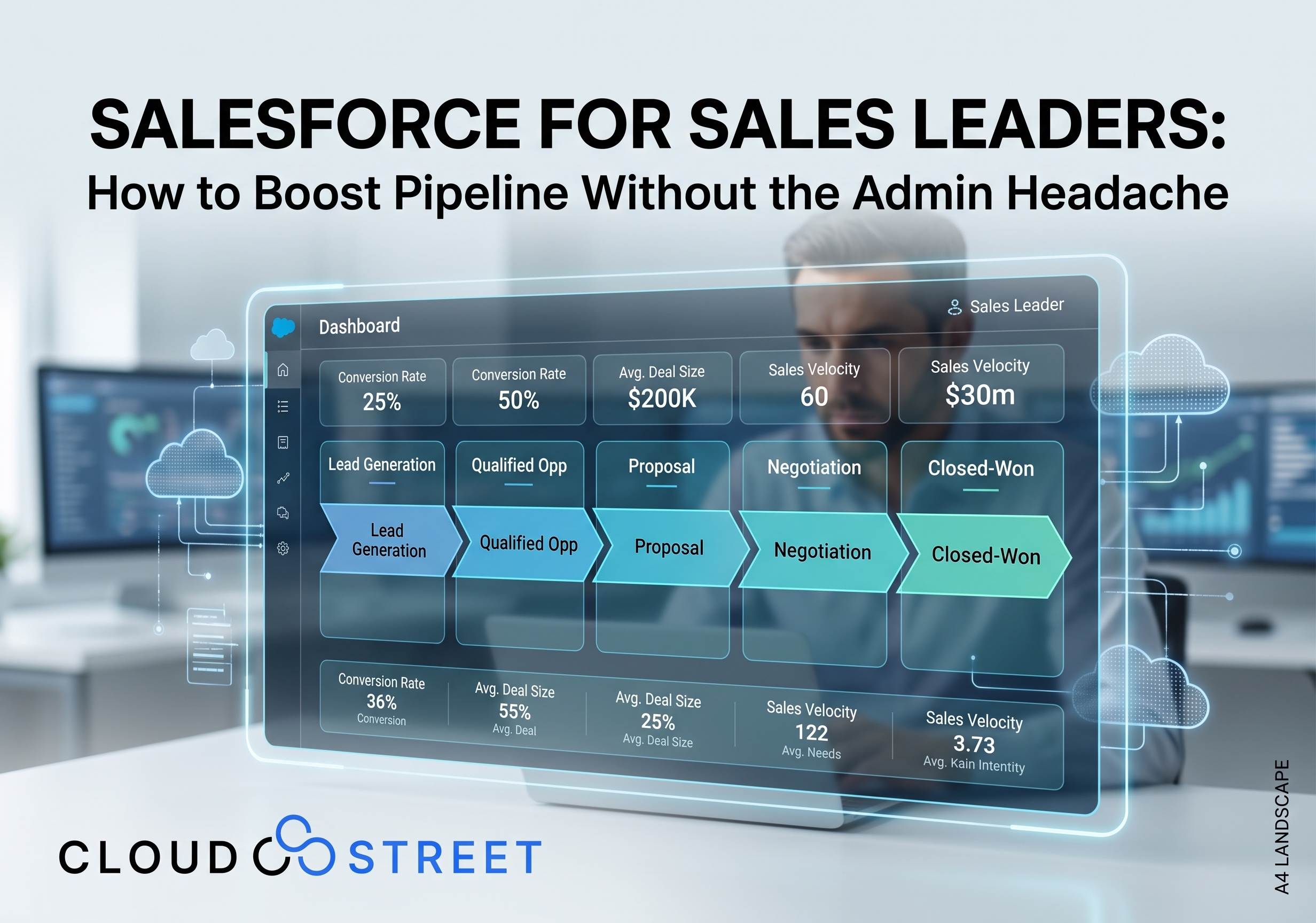
Salesforce can give sales leaders a more complete view of the business: but only when the system reflects how the sales team actually works.
For a VP or Director of Sales, the challenge is rarely a lack of available Salesforce features. The challenge is turning those features into a practical operating system for the sales organization. If reps avoid updating opportunities, managers maintain separate spreadsheets, and forecast meetings rely on opinions rather than current data, the Salesforce investment is not supporting the sales process as effectively as it could.
At CLOUDSTREET, we help small and mid-sized businesses improve the way their Salesforce org supports sales execution. We are based in Houston, Texas, and work with customers locally and globally. Our approach connects business objectives, sales process design, automation, data, and adoption so Salesforce becomes useful to both sales leadership and individual reps.
For a broader overview, read our detailed guide to Salesforce consulting for small and mid-sized businesses.
7 Practical Ways Sales Leaders Can Improve Salesforce Results
1. Design the pipeline around decisions, not just stages
A pipeline is useful when it helps a manager answer practical questions:
- Which opportunities are real?
- Which deals require coaching or executive attention?
- Where are opportunities slowing down?
- What revenue is reasonably expected within a specific period?
- Which activities are most likely to move a deal forward?
Salesforce opportunity stages should reflect the actual buying process: not simply a generic sales methodology. Each stage should have clear qualification criteria and exit conditions. For example, “Proposal” may require an identified business problem, confirmed decision process, documented commercial requirements, and a scheduled review with the customer.
When stages are vague, two reps may use the same stage to describe very different situations. That makes pipeline reports difficult to interpret and forecasts less dependable.
A Salesforce consulting partner can help facilitate these decisions, document the process, and configure Sales Cloud so stage movement supports consistent management conversations.
2. Make pipeline visibility trustworthy
Improving sales pipeline visibility requires more than adding another dashboard. The underlying records need to be current, complete, and consistently maintained.
Sales leaders typically need visibility into:
- Pipeline value by stage, rep, region, or segment
- Coverage against quota or revenue targets
- Conversion rates between stages
- Sales velocity and average time to close
- Opportunity aging and stalled deals
- Forecast category, including pipeline, best case, commit, and closed business
- Changes in close date, amount, stage, and probability
These views should be connected to a defined sales process. If an opportunity can remain in the same stage indefinitely, an aging report may identify a problem without creating a path to resolve it. If forecast categories are not connected to meaningful criteria, a forecast dashboard may simply display inconsistent opinions in a more polished format.
We recommend starting with a focused set of leadership dashboards that support weekly pipeline inspection and forecast reviews. Additional reporting can be added once the team is using the core views consistently.
Schedule a Call with our Salesforce team to discuss the visibility challenges in your current org.

3. Reduce administration without over-automating
Sales reps often resist CRM updates because the system adds work without giving enough value back. Excessive fields, repetitive tasks, duplicate entry, and unclear workflows can make Salesforce feel like an administrative requirement rather than a sales tool.
Automation can help with:
- Capturing leads from web forms and other agreed sources
- Assigning leads based on territory, product, company characteristics, or capacity
- Creating follow-up tasks when a lead or opportunity reaches a defined point
- Logging selected emails, meetings, and calls
- Prompting users to record a next step
- Sending internal notifications when an opportunity requires review
- Updating related records when a defined business event occurs
The recommendation is to automate repeatable administration while preserving the judgment that makes selling effective. A workflow can remind a rep to follow up; it should not replace the rep’s understanding of the customer. A validation rule can protect required opportunity information; it should not force users to complete irrelevant fields simply to move a deal forward.
The useful action should be the easy action. If logging a meeting or updating a next step requires unnecessary navigation, adoption will suffer.
4. Standardize qualification while allowing room for judgment
Sales teams need a shared definition of a qualified opportunity. Without one, pipeline volume can appear healthy even when many opportunities have limited customer engagement or uncertain commercial potential.
Qualification criteria may include:
- A defined customer need or business problem
- An identified business impact
- A known decision process or buying committee
- An estimated budget or commercial path
- A realistic timeline
- A clear next meeting or customer action
Salesforce can support this process through guided fields, screen flows, validation rules, prompts, and manager dashboards. The objective is not to create a rigid process that ignores the differences between customers. The objective is to create a common language for evaluating opportunity health.
When qualification is consistent, sales managers can spend less time debating whether an opportunity belongs in the forecast and more time coaching the team on what will move it forward.
5. Connect sales data to the rest of the customer journey
A sales rep has more context when Salesforce connects to the systems that contain relevant customer information.
Depending on the business, that may include:
- Marketing engagement and lead-source data
- Customer service cases and support history
- ERP account, product, inventory, and order information
- Quoting and pricing systems
- B2B Commerce activity and purchase history
- Finance or billing information
- Contract and fulfillment status
At CLOUDSTREET, we work with Sales Cloud, B2B Commerce, customer-specific pricing, quote-to-cash processes, and ERP integrations. We help connect front-office and back-office systems so sales teams can work from a more complete view of the customer.
For example, a sales rep discussing a renewal may need to see open service issues, current orders, contract terms, inventory availability, and account-specific pricing. Without integration, that context may be distributed across email, spreadsheets, ERP screens, and separate commerce tools.
Our Salesforce Services include implementation, integration, development, managed support, and Sales Cloud services designed around the customer’s operating model.

6. Treat adoption as an operating discipline
CRM user adoption is not solved by a single training session before go-live. It develops when the system is relevant, usable, and reinforced through management routines.
We recommend seven adoption practices:
- Involve representative users during discovery and design.
- Remove fields that do not support a business decision or useful action.
- Configure pages and views around each role.
- Make common actions easy to complete from the places reps already work.
- Train sales reps, managers, and administrators differently.
- Identify internal users who can provide feedback and encourage good habits.
- Monitor usage, data quality, and process adherence after launch.
Role-based training is particularly important. Reps need to understand how Salesforce helps them manage leads, opportunities, activities, and next steps. Managers need practical instruction on pipeline inspection, forecast categories, dashboards, and coaching. Sales operations and administrators need governance, configuration, and data-quality guidance.
Usage reporting can help identify where the process is breaking down. A decline in activity logging may indicate that the workflow is cumbersome. Opportunities with missing next steps may indicate unclear management expectations: or a page layout that does not make the field easy to update.
7. Design Salesforce around the way your team sells
A successful Salesforce Sales Cloud implementation begins with the sales process, not with a list of features.
During discovery, we examine questions such as:
- How are leads created and assigned today?
- What qualifies a lead for sales follow-up?
- How do reps manage activities and next steps?
- Which stages reflect real customer commitments?
- How do managers inspect pipeline and coach deals?
- What information is needed for quoting or approval?
- Which systems contain customer or product information?
- Where do reps currently rely on spreadsheets or manual workarounds?
The answers shape the data model, page layouts, automations, integrations, reports, and governance plan.
We also evaluate whether Salesforce AI is appropriate for the organization’s current level of data quality and process maturity. Salesforce AI capabilities, including Agentforce, can support sales productivity with functions such as summaries, content generation, recommendations, and workflow assistance. However, AI works best when the underlying data and sales process are reliable. Learn more about our Salesforce Artificial Intelligence services.
What Does a Salesforce Consulting Partner Do for Sales Leadership?
A Salesforce consulting partner translates sales objectives into a usable CRM design and helps coordinate the work required to sustain it.
For sales leadership, that may include:
- Reviewing the current Salesforce configuration and adoption patterns
- Mapping the existing lead-to-close process
- Defining stages, qualification criteria, and forecast categories
- Designing dashboards for pipeline and sales performance
- Configuring automation for lead routing and follow-up
- Connecting Salesforce to marketing, service, ERP, quoting, and commerce systems
- Supporting data migration and data-quality improvements
- Testing processes with sales users before launch
- Delivering role-based training and post-launch support
- Establishing a roadmap for future improvements
Our work includes Sales Cloud implementation, sales process improvement, B2B Commerce, customer-specific pricing, quote-to-cash design, ERP integrations, custom development, and managed Salesforce support. We focus on practical improvements that align Salesforce with the way your organization generates and fulfills revenue.
If you are evaluating a new project, Get a Quote through our Salesforce Services team.
Common Salesforce Implementation Mistakes
Sales leaders can reduce avoidable risk by watching for these six issues:
- Starting with configuration before agreeing on the sales process: The org may reflect conflicting assumptions from different departments.
- Adding too many required fields: Reps may enter low-quality information just to progress records.
- Treating forecast categories as interchangeable with opportunity stages: These are related but serve different management purposes.
- Building dashboards before establishing data definitions: Reports cannot compensate for inconsistent data entry.
- Automating every possible action: Over-automation can make exceptions difficult to manage and reduce user trust.
- Ending support at go-live: Adoption and process refinement require attention after launch.
These are considerations rather than reasons to delay a Salesforce initiative. A phased plan, clear ownership, user involvement, and regular review can help the organization improve without attempting to solve every issue at once.
Salesforce Evaluation Checklist for Sales Leaders
Use this eight-item checklist when reviewing your Salesforce org:
- Can managers explain what each opportunity stage means?
- Does every active opportunity have a current next step and close date?
- Are forecast categories tied to agreed qualification criteria?
- Can leadership see coverage, conversion, velocity, aging, and forecast trends?
- Are leads assigned and followed up through a consistent process?
- Do reps have to enter duplicate or irrelevant information?
- Can sales access useful marketing, service, ERP, quoting, or commerce context?
- Are adoption and data-quality indicators reviewed after implementation?
If several answers are unclear, the next step may be a structured Salesforce assessment rather than a larger set of disconnected changes.
Contact Our Team to review your current Salesforce setup, sales process, and priorities.

Build a Salesforce Org Your Sales Team Can Use
Salesforce can support stronger pipeline visibility, more consistent qualification, better forecasting, and less manual administration. Those outcomes depend on design choices that connect the platform to the team’s real work.
For sales leaders, the goal is not to make Salesforce more complicated. It is to make the important information easier to capture, easier to understand, and easier to act on.
Need a Local Salesforce Consultant in Houston?
Some companies prefer to work with a Salesforce consultant in person, especially when the project involves process workshops, stakeholder alignment, or hands-on support with sales leadership and operations teams. If your business is in the Houston area and you value local, face-to-face collaboration, CLOUDSTREET is based in Houston, Texas, and can provide local Salesforce consulting alongside broader delivery support for regional, national, and global organizations.
If that is part of your evaluation process, this article on how to choose a Salesforce consulting partner in Houston, TX offers a practical framework for comparing options.
CLOUDSTREET is based in Houston, Texas, and supports customers locally and globally. If you are using Salesforce today, preparing for a Sales Cloud implementation, or evaluating why adoption has not met expectations, we can help you identify practical next steps.
For B2B organizations connecting sales with digital purchasing, explore our B2B Commerce Accelerator.
Category
Discover insights that drive results - explore out latest blog posts now
DealHub Salesforce Integration for Manufacturers: Connecting CPQ, Contracts, and CRM
About the manufacturer: mid-market industrial equipment company A U.S.-based, mid-market [...]
Salesforce Data 360 and Agentforce: Why Grounding Is What Makes AI Agents Dependable
An AI agent can produce a fluent answer and still [...]
Salesforce Data 360 Governance and Informatica: Managing Data Quality, Access, and Trust in the Agentic Era
Data governance becomes more consequential when business data does more [...]