Modernizing the Law Firm: 5 Ways Salesforce Experience and Commerce Cloud Build a Seamless Client Portal
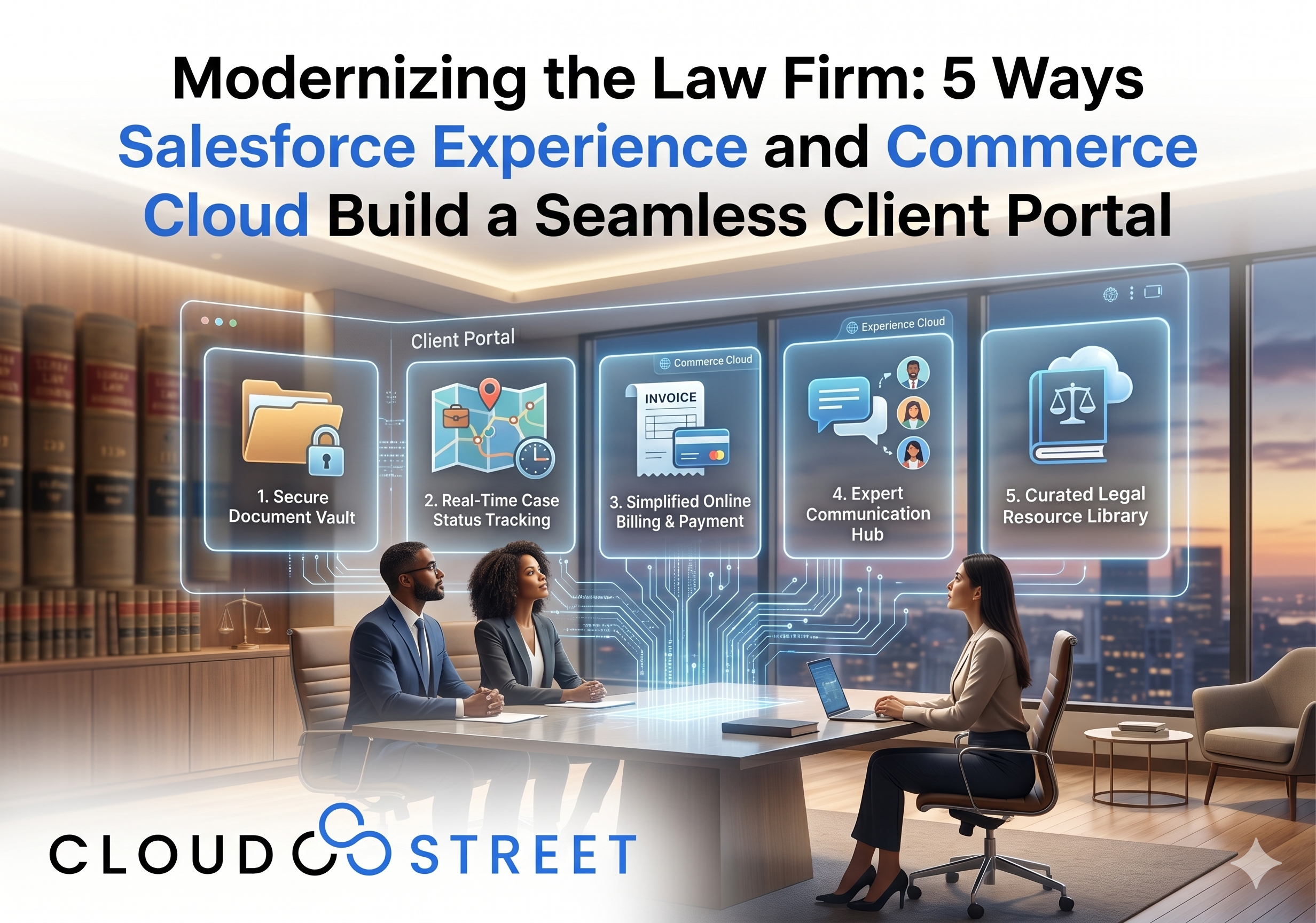
The legal industry is undergoing a significant transformation. Clients no longer want to wait for business hours to get an update on their case or play “phone tag” with an associate just to pay a retainer. Today, the expectation is a digital-first experience where transparency and efficiency are the default, not the exception.
For forward-thinking firms, Salesforce offers a powerful combination: Experience Cloud and Commerce Cloud. These tools allow you to build a comprehensive client portal that serves as the central hub for every interaction. Whether you are a local practice here in Houston, Texas, or a global firm managing multi-jurisdictional matters, modernizing your client interface is the fastest way to improve retention and operational ROI.
At CLOUDSTREET, we specialize in implementing Salesforce for Law Firms, providing out-of-the-box legal features that transform how attorneys and clients collaborate.
The Experience Cloud Portal: Building the Digital Foyer
Think of your client portal as a “Digital Foyer.” In a traditional office, the foyer is where a client first feels the professionalism and organization of your firm. It is where they are welcomed. However, in the digital age, a physical lobby often means a wait. A Digital Foyer, built on Salesforce Experience Cloud, ensures that clients feel welcomed and informed 24/7 without ever having to sit in a waiting room.
This portal is more than just a website; it is a secure, branded environment where your clients can interact with their legal team in real-time. By surfacing the data already living in your Salesforce org, you provide a window into the work being done on their behalf.
5 Key Interaction Features of Your Digital Foyer
To maximize the value of your portal, your Digital Foyer should include these five essential features:
- Secure Document Sharing: No more searching through cluttered email threads for the latest draft. Clients can upload evidence and download pleadings directly within the portal.
- Instant Messaging & Notifications: Use secure portal messaging to replace unsecured emails, keeping all case communication in one audit-ready location.
- Self-Service Knowledge Base: Provide clients with FAQs and articles about their specific case type, reducing the number of basic inquiries your staff has to handle.
- Profile & Contact Management: Allow clients to update their own contact information, ensuring your records are always accurate for service of process or billing.
- Appointment Scheduling: Integrate your calendar so clients can book follow-up consultations or discovery prep sessions at their convenience.

Need to see how this works in practice? Explore our Case Studies to see how we’ve helped professional service firms streamline their client interactions.
Case Tracking: The Legal GPS
One of the most common complaints clients have is: “I don’t know what’s happening with my case.” Without a portal, a case can feel like a black box.
By using Experience Cloud for case tracking, you provide your clients with a “Legal GPS.” Just like a tracking number for a package or a GPS map for a ride-share, your clients can see exactly where their matter stands.
Whether it’s a personal injury claim moving through discovery or a corporate merger awaiting regulatory approval, the Legal GPS shows the milestones achieved and the road ahead. This transparency builds immense trust. When a client can log in at 9:00 PM on a Sunday and see that a motion was filed on Friday, they feel cared for, even when your office is closed.

The Commerce Layer: Adding the Express Lane
The most friction-heavy part of the attorney-client relationship is often the billing. Sending paper invoices or PDF attachments and waiting for a check or a phone call to process a credit card is inefficient for everyone.
This is where Salesforce Commerce Cloud and Salesforce PayNow come in. We call this the “Express Lane.”
By integrating PayNow into your Experience Cloud portal, you allow clients to settle their bills as easily as they would buy a product on a retail site. This isn’t just about convenience; it’s about cash flow. When you provide an Express Lane, you reduce the “Days Sales Outstanding” (DSO) and ensure your firm gets paid faster.
How the Express Lane Works for Legal Billing:
- One-Click Payments: Clients receive a notification that an invoice is ready. They log into the portal and click a “Pay Now” button.
- Trust Account Management: Configure the system to route retainer top-ups to IOLTA/Trust accounts while directing fee payments to operating accounts.
- Automated Receipts: As soon as the transaction is processed, Salesforce generates a receipt and updates the “Matter” record, notifying the billing department automatically.

Ready to modernize your billing? Contact CloudStreet today to discuss how Salesforce PayNow can integrate with your legal practice.
Roadmap: 4 Steps to Launching Your Legal MVP
You don’t need to build a fully automated, multi-featured portal overnight. In fact, we recommend starting with a Minimum Viable Product (MVP) and scaling as your firm becomes more comfortable with the platform.
4 Steps to Success:
- Phase 1: Secure Intake & Status (The MVP): Start by moving your intake questionnaires online and providing a basic case status dashboard. This immediately reduces administrative work and answers the “What’s my status?” question.
- Phase 2: Document Collaboration: Introduce secure folders where clients can drag-and-drop documents. This is a massive upgrade over email attachments for both security and organization.
- Phase 3: The Express Lane (Payments): Once the portal is a daily habit for your clients, introduce Salesforce PayNow. Start with simple fee payments before moving into more complex trust account replenishments.
- Phase 4: Full Automation & AI: Leverage Salesforce Einstein to provide automated case updates or use chatbots to answer common client questions about court dates and locations.

Local Expertise with Global Reach
At CLOUDSTREET, we understand that every law firm has unique needs based on their practice area. Our team is based in Houston, Texas, but we serve clients both locally and globally, helping firms of all sizes leverage the full power of the Salesforce ecosystem.
Whether you are looking for comprehensive implementation services or need specialized staff to augment your current IT team, we provide the ROI-focused strategy you need to succeed.
Modernizing your firm isn’t just about the technology; it’s about the people you serve. By building a portal that acts as a Digital Foyer, a Legal GPS, and an Express Lane, you aren’t just managing cases: you are building a client experience that stands the test of time.
Are you ready to turn your Salesforce org into a modern client powerhouse?
Category
Discover insights that drive results - explore out latest blog posts now

DealHub Salesforce Integration for Manufacturers: Connecting CPQ, Contracts, and CRM
About the manufacturer: mid-market industrial equipment company A U.S.-based, mid-market [...]

Salesforce Data 360 and Agentforce: Why Grounding Is What Makes AI Agents Dependable
An AI agent can produce a fluent answer and still [...]

Salesforce Data 360 Governance and Informatica: Managing Data Quality, Access, and Trust in the Agentic Era
Data governance becomes more consequential when business data does more [...]