
Enhancing Salesforce Capabilities: A Complete Guide to Geopointe Integration
Geographic data visualization isn’t just a nice-to-have feature anymore: it’s become essential for businesses that want to optimize their field operations, improve territory management, and make smarter location-based decisions. When you combine Salesforce’s powerful CRM capabilities with Geopointe’s advanced mapping features, you create a solution that transforms how your teams work in the field.
At CLOUDSTREET, we’ve helped businesses from our Houston headquarters to clients globally implement this powerful integration. The results speak for themselves: improved route efficiency, better territory coverage, and data-driven decisions that directly impact the bottom line.
What Makes Geopointe + Salesforce So Powerful?
Geopointe isn’t just another mapping tool: it’s a complete location intelligence platform that works seamlessly within your existing Salesforce environment. Instead of switching between different applications, your team can execute all their Salesforce business processes directly from an interactive map interface.
Think about your current workflow. Your sales rep pulls up an account in Salesforce, then switches to Google Maps to plan their route, then back to Salesforce to log their visit. With Geopointe, all of this happens in one place, saving time and reducing the chance for errors.

5 Key Benefits That Transform Your Operations
1. Real-Time Geographic Data Visualization
Your Salesforce data comes alive on an interactive map. Instead of looking at addresses in a spreadsheet format, you see exactly where your customers, prospects, and opportunities are located. This visual perspective often reveals patterns that aren’t obvious in traditional list views: like discovering untapped market segments in specific geographic areas.
2. Optimized Routing and Territory Management
Manual route planning is inefficient and costly. Geopointe automatically calculates the most efficient routes between multiple stops, considering factors like traffic patterns and appointment windows. Field teams can plan their entire day in minutes instead of hours, and managers can ensure optimal territory coverage without overlapping efforts.
3. Proximity-Based Lead Generation
The integration enables powerful proximity searches that identify opportunities near existing customers or scheduled appointments. If a sales rep is visiting a major client, they can instantly see all prospects within a 5-mile radius and potentially schedule additional meetings for the same trip.
4. Automated Check-ins and Activity Logging
Field reps can check in to customer locations directly from the map, automatically creating Salesforce activity records with precise location data and timestamps. This eliminates manual data entry while providing accurate field activity tracking for managers.
5. Custom Actions for Specific Business Processes
Geopointe allows you to create custom actions that execute specific Salesforce workflows directly from the map interface. For example, clicking on a location could automatically create a new lead record, update opportunity stages, or trigger follow-up tasks.
Ready to see how this integration could work for your specific business needs? Explore our comprehensive Salesforce services to learn more about implementation options.
4 Point Types That Power Your Operations
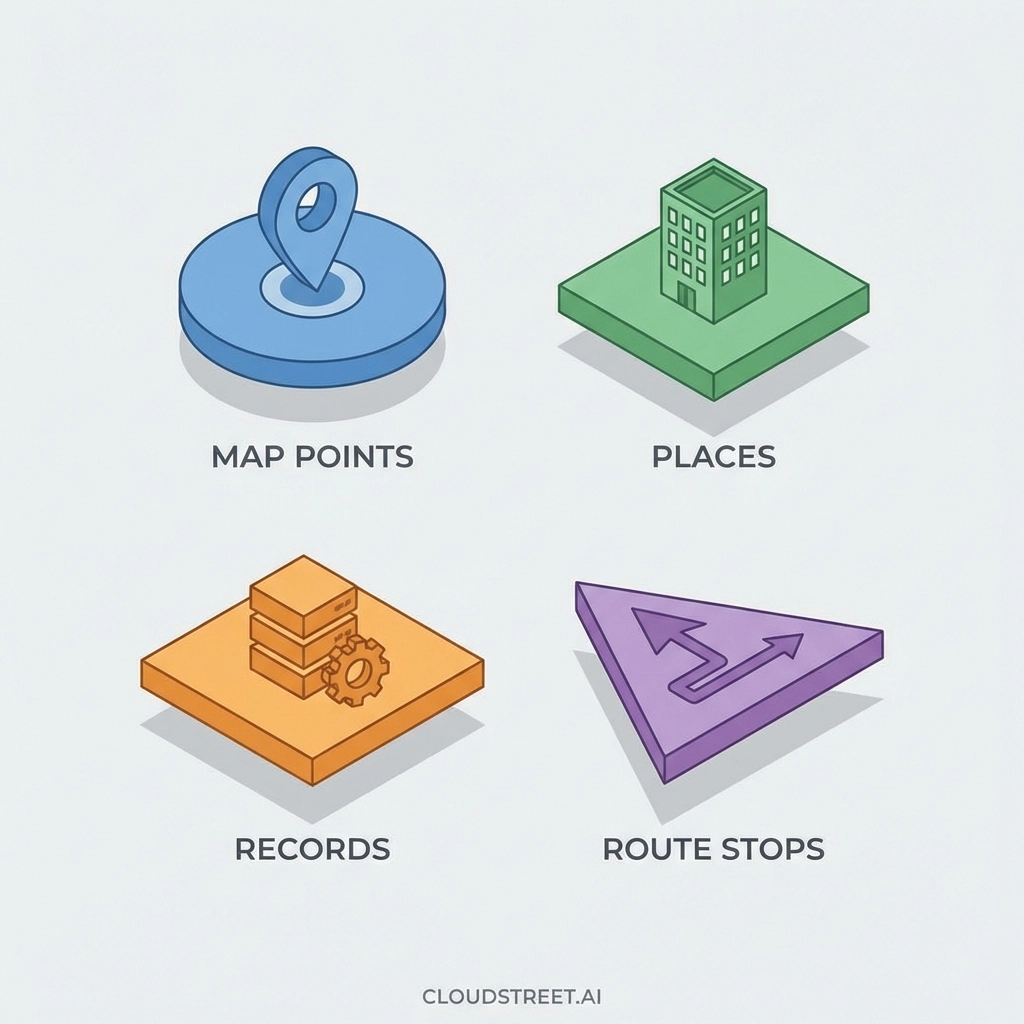
Understanding Geopointe’s point types is crucial for maximizing the integration’s value:
Map Points are custom locations you create by clicking or tapping on the map. These are perfect for marking potential sites, competitor locations, or areas of interest that aren’t in your Salesforce database yet.
Place Points come from Google Places searches. When your team searches for “hardware stores near downtown,” each result becomes a place point that can be converted into Salesforce records with a single action.
Record Points represent your existing Salesforce data: accounts, contacts, leads, opportunities: displayed on the map with all their associated information readily accessible.
Route Stop Points are locations added to optimized routes, complete with turn-by-turn navigation and estimated arrival times.
Industry Applications That Drive Results
Field Sales Teams
Sales representatives can visualize their entire territory, identify clustering opportunities, and plan efficient multi-stop routes. The ability to see nearby prospects while visiting existing customers has consistently increased our clients’ appointment conversion rates by 25-30%.
Healthcare Organizations
Healthcare providers use the integration to optimize patient visit routes, identify service gaps in specific geographic areas, and ensure compliance with territory coverage requirements. Emergency response teams can quickly locate the nearest available resources during critical situations.
Retail Operations
Retail managers can analyze store performance by geographic region, identify optimal locations for new outlets, and coordinate field merchandising teams more effectively. The visual representation of sales data often reveals market opportunities that weren’t apparent in traditional reports.
Logistics and Distribution
Distribution teams can optimize delivery routes, track vehicle locations in real-time, and provide accurate delivery windows to customers. The integration helps reduce fuel costs while improving customer satisfaction through better delivery predictability.
Implementation Steps for Maximum Impact
Getting started with Geopointe integration doesn’t require a complete system overhaul. The process typically follows these key phases:
Phase 1: Data Preparation involves cleaning and standardizing your Salesforce address data. Poor data quality is the biggest obstacle to successful mapping, so this step is crucial for accurate results.
Phase 2: Configuration includes setting up map layers, defining custom actions, and configuring user permissions. This is where you align the tool’s capabilities with your specific business processes.
Phase 3: User Training ensures your team knows how to leverage the new capabilities effectively. We’ve found that hands-on training with real scenarios produces better adoption rates than generic demonstrations.
Phase 4: Performance Optimization involves analyzing usage patterns and refining configurations based on actual user behavior and business outcomes.

Integration Considerations and Best Practices
Before implementing Geopointe, consider these critical factors:
Data Quality Requirements: Accurate mapping depends on clean, standardized address data. Plan time for data cleanup before going live.
User Access Management: Different teams may need different mapping capabilities. Configure permissions to match your organizational structure and security requirements.
Mobile Optimization: Since much of the value comes from field use, ensure your mobile configuration supports your team’s workflow patterns.
Performance Monitoring: Set up tracking to measure the impact on route efficiency, territory coverage, and overall productivity.
Getting Started with CLOUDSTREET
As a Houston-based IT consulting firm serving clients globally, CLOUDSTREET has the experience and expertise to ensure your Geopointe integration delivers maximum value. We understand that every business has unique geographic challenges and requirements.
Our team can help you assess your current Salesforce setup, identify the best integration approach for your specific needs, and provide ongoing support to ensure optimal performance. Whether you’re a local Houston business or a global enterprise, we have the resources to support your implementation.
Ready to transform your field operations? The combination of Salesforce and Geopointe offers powerful capabilities that can significantly improve your team’s efficiency and effectiveness. From route optimization to territory management, the benefits extend throughout your organization.
Don’t let geographic challenges limit your business potential. Contact CLOUDSTREET today to discuss how Geopointe integration can enhance your Salesforce investment and drive measurable results for your field teams.
The future of field operations is location-intelligent, and that future is available today. Let us help you make it a reality for your business.
Category
Discover insights that drive results - explore out latest blog posts now

Case Study: How Highland Cabinetry Colorado Built a Modern Wholesale Powerhouse on Salesforce B2B Commerce Cloud
In the world of high-end cabinetry, timing is everything. When [...]

Agentforce ROI: 7 Ways to Maximize Your Salesforce AI Investment
You've heard the buzz. Salesforce Agentforce is supposed to revolutionize [...]

Salesforce B2B Commerce Cloud Partner & Consultant Guide
You're about to drop serious money on a Salesforce B2B [...]
