
3 Common Salesforce Mistakes SMBs Make—and How to Fix Them
Salesforce is designed to help you grow, organize, and connect faster—no matter the size of your business. But let’s be real: many small and mid-sized companies trip over some pretty common Salesforce “gotchas.” The good news? These are mistakes you can spot early and fix before they snowball into budget-busting headaches.
Ready to avoid the three most frequent Salesforce slip-ups for SMBs? Let’s break them down.
1. Ignoring User Adoption and Training
You’ve powered up Salesforce. Great! But if your team is stuck on spreadsheets (or just plain overwhelmed), your fancy CRM might become an expensive paperweight. One of the biggest SMB mistakes is assuming that once Salesforce is live, everyone will just “get it.”
Why This Happens
- Assumption that Salesforce is intuitive: It is—and it isn’t. The dashboard can look daunting for first-timers.
- Lack of ongoing training: Initial training sessions happen, but users forget details or never have a chance to ask questions as they start using the system day-to-day.
- No feedback loop: If users stumble, they may stop using Salesforce or create their own workarounds.
What Can Go Wrong?
- Leads and contacts get entered inconsistently.
- Reports don’t match reality.
- Adoption rates drop, and your Salesforce investment sits under-utilized.
How to Fix It
A. Build a Simple Training Program
Don’t just do a single onboarding session. Instead, set up regular check-ins and hands-on workshops. Here’s a quick roadmap:
- Kickoff Orientation: Introduce the basics; explain why Salesforce matters for your team—not just for leadership.
- Role-Based Modules: Customize training so sales, support, and management see the pieces relevant to them.
- Office Hours: Offer monthly Q&A sessions for users to bring their questions or issues.
- Microlearning: Create short videos or “tip of the week” emails. Bite-sized learning beats marathon sessions.
B. Foster Champions
Invite a few tech-friendly team members to become “Salesforce Champions.” They’ll serve as on-the-ground resources for quick questions—making adoption less intimidating.
C. Make Feedback Easy
Add a simple feedback form directly in Salesforce. Encourage everyone to share what’s confusing or missing so you can fix it fast.

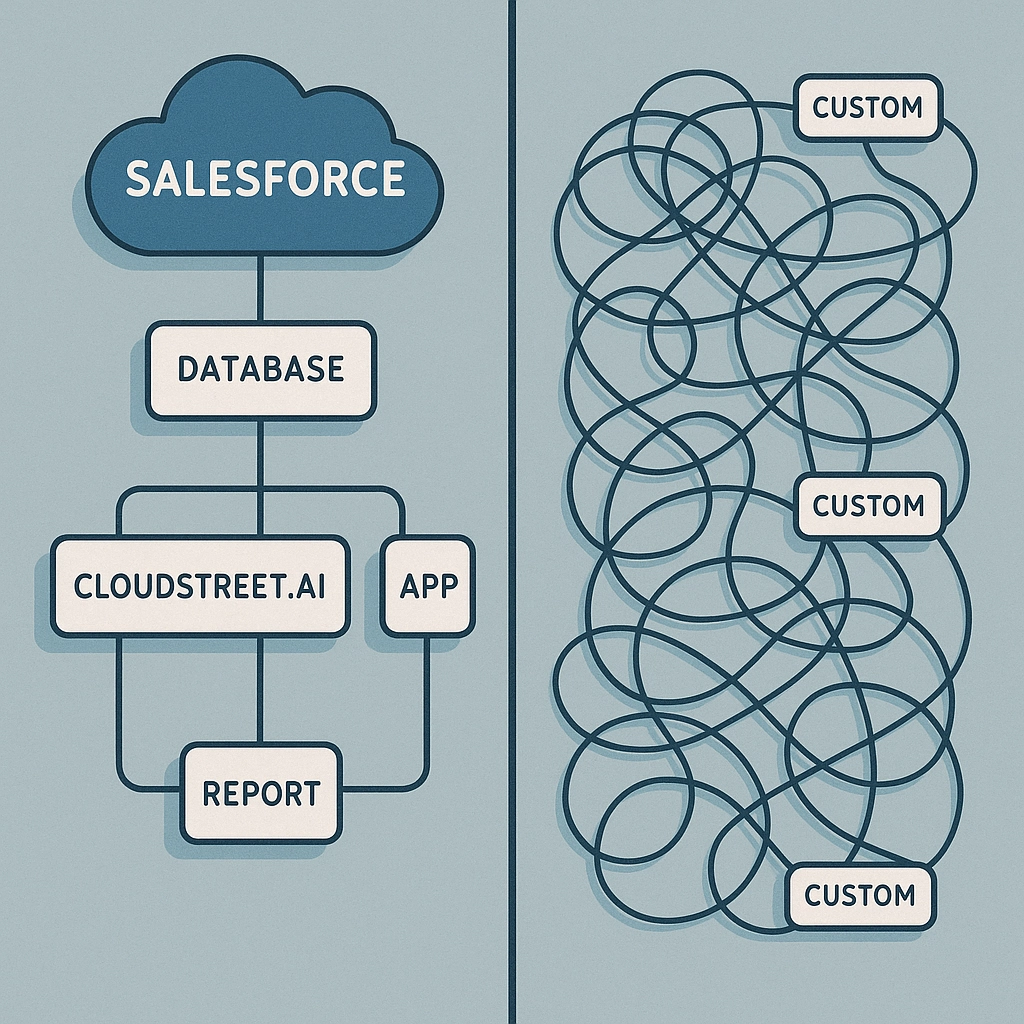
2. Over-Customization: When “Perfect Fit” Backfires
Every SMB wants Salesforce to match their exact needs. Custom fields, unique automations, custom-coded widgets—surely more features make it better, right? Not always.
Why This Happens
- Desire to replicate old systems: Teams often ask for one-to-one recreations of previous tools, not realizing Salesforce has better, simpler options.
- Chasing edge cases: Customizations for highly specific workflows that only come up twice a year.
- Relying on external custom code: Quick fixes done by consultants or one-off devs, that no one documents.
What Can Go Wrong?
- More custom code means more maintenance.
- Updating Salesforce gets riskier (will this upgrade break our custom stuff?).
- Your team gets lost in a sea of rarely-used fields and automations.
How to Fix It
A. Start Simple and Scale
- Prioritize Core Features: Use Salesforce “out of the box” as much as possible—contacts, leads, tasks, opportunities, and reports.
- Audit Custom Requests: Sit down with stakeholders and review every workflow. Why does each customization exist? Can it be done with a built-in tool?
- Use Trailhead and AppExchange: Tap into Salesforce’s own pre-built solutions before paying for custom development.
- Document Everything: If you must customize, create guides so that future team members (and admins) know what’s been changed and why.
B. Review Annually
Schedule a yearly review: is that custom module still adding value, or is it just clutter? Remove what you don’t need. Less is more.
C. Plan for Upgrades
Customizations can get fragile. Make sure every customization is on your IT team’s radar before any platform updates, so you’re not caught flat-footed.
3. Neglecting Data Hygiene: Garbage In, Garbage Out
Salesforce thrives on good data. If your data is stale, messy, or duplicated, you’ll waste hours fixing mistakes—and might steer the business in the wrong direction.
Why This Happens
- Bulk migrations without cleanup: Old CRM or spreadsheet data gets dumped into Salesforce without deduplication or validation.
- No ongoing process: Once-a-year “cleanups” don’t keep up with daily errors.
- Forgotten fields: Unused or poorly labeled fields confuse the team and encourage bad data entry.
What Can Go Wrong?
- Duplicate contacts and leads (hello, angry sales calls!).
- Reports that can’t be trusted.
- Time-wasting, manual lookups to find the right info.
How to Fix It
A. Audit Before You Migrate
- Clean Up Legacy Data: Delete duplicates and update records before importing into Salesforce.
- Validate as You Go: Set rules to prevent users from saving incomplete or obviously wrong entries (like phone numbers with letters, or missing required fields).
B. Set Up Data Management Processes
- Automate De-Duplication: Leverage Salesforce’s built-in duplicate management tools, or try trusted AppExchange apps to periodically clean your database.
- Assign Data Stewards: Even in a small team, nominate someone to review critical records weekly. It doesn’t have to be a full-time job—just a consistent routine.
C. Ongoing Quality Control
- Use Reports: Create simple dashboards to monitor incomplete records, duplicates, or missing data.
- Feedback Loop: Make it easy for team members to flag incorrect records.
D. Stay Consistent
Standardize how your team enters key info (like phone numbers, names, or customer types). Build quick-reference job aids or cheat sheets.

Wrapping Up
Salesforce can be a growth rocket for SMBs—or a giant time sink. It all depends on avoiding these three mistakes:
- Neglecting User Training: Don’t shortchange your team. Make ongoing education easy and accessible.
- Over-Customizing the Platform: Growth is about scaling smart, not reinventing the wheel for every edge case.
- Ignoring Data Hygiene: Old, duplicate, or messy data short-circuits your entire CRM investment.
Want a deeper dive? Check out our post on Salesforce’s latest innovations for 2025, or if you’re ready to audit your Salesforce instance, reach out to the CLOUDSTREET team anytime.
Your Salesforce should make things simpler—let’s keep it that way.
Category
Discover insights that drive results - explore out latest blog posts now

Case Study: How Highland Cabinetry Colorado Built a Modern Wholesale Powerhouse on Salesforce B2B Commerce Cloud
In the world of high-end cabinetry, timing is everything. When [...]

Agentforce ROI: 7 Ways to Maximize Your Salesforce AI Investment
You've heard the buzz. Salesforce Agentforce is supposed to revolutionize [...]

Salesforce B2B Commerce Cloud Partner & Consultant Guide
You're about to drop serious money on a Salesforce B2B [...]
